

Rebind, select WIFI connection for network configuration
When the pickup hole is blocked, the Mic cannot properly capture external sounds;
At this time, please clean the obstructions and dust near the Mic pickup hole.
The robot has not entered the "stand" state: long press "stand" on the APP or move the "G" lever on the remote control to the middle
1. Battery Storage: First, charge the robot dog's battery to 50%-60% (the APP shows "medium battery"). If the battery is removable, follow the steps in the manual to remove the battery, wipe the battery contacts with a dry soft cloth, place it in the original battery case, and store it in a cool, dry place (temperature 10-25°C, humidity ≤60%), and recharge it once a month (to 50%-60%); if the battery is non-removable, keep the robot dog turned off, turn it on once a month, and recharge the battery to 50%-60% to avoid battery discharge;
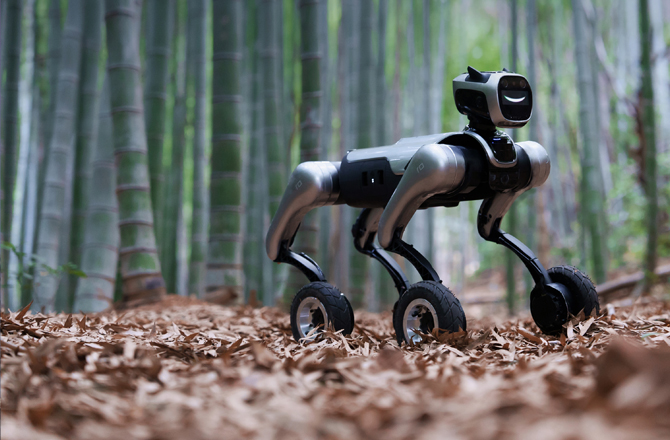
2. Wheel Storage: Clean the dirt on the wheel surface (wipe the dust and debris inside the wheel treads with a damp cloth to prevent caking after drying, which may affect rotation). If the storage period exceeds 3 months, the robotic dog should be propped up (wheels not in contact with the ground), or the wheels should be manually rotated 10 times every 1 month to prevent the wheel rubber from aging and sticking;
3. Prohibited storage environment: Avoid placing the robotic dog in environments with direct sunlight, high temperature (>30°C), or high humidity (humidity >70%) to prevent cracking of the wheel rubber and swelling of the battery.
Rebind, select WIFI connection for network configuration
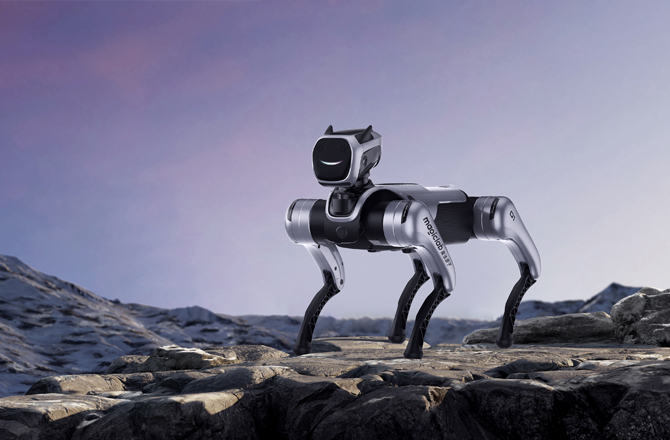
To ensure strength, the robotic dog is made of alloy and engineering plastic. When interacting with the robotic dog, please avoid placing your hands within the range of motion of its legs.
Rebind, select WIFI connection for network configuration
1. Check for foreign objects on the wheels: Inspect whether there are foreign objects (such as hair or string) wrapped around the treads of non-rotating wheels, or whether there are debris stuck at the connection between the wheels and the body, and gently clean them with tweezers (avoid scratching the wheel rubber);
2. Restart the robotic dog, operate the robotic dog to walk in a straight line to see if all four wheels can walk straight normally. If it returns to normal, the robotic dog is functioning properly; if it still deviates significantly, please immediately contact after-sales for technical support.
Network is unstable, please exit the APP and reconnect to the robot; if disconnected during direct AP connection, click Reconnect in the top-left corner of the APP
This is normal aging during the machine's usage and will not affect the normal functions of the machine. If there is an obvious abnormal noise, please contact after-sales service promptly for resolution.
Rebind, select WIFI connection for network configuration
1. After the robotic dog is powered off and lies down, check if the tires are under-inflated. If so, please add air in a timely manner;
2. Clean the wheels: If the wheels are sticky with oil, grease, or hair (which causes reduced grip), wipe them with a neutral cleaner, let them dry, and then use them;
3. If it still slips frequently, check the wear of the wheel rubber. If necessary, contact customer service to replace the wheels to avoid loss of control due to insufficient grip.
1. In the language settings of the APP, turn on the "Speech Recognition" switch
2. In the APP settings, turn up the volume to above 50%
3. APP Settings Interface, confirm whether the wake word has been modified to another word
Belongs to the battery "false lock" issue;
There are two white strips on the inside of the battery handle. If the white strips are not visible, it indicates that the battery is not locked in place. Please reinstall the battery.
There is no need to restart the robot at this time:
1. Network is unstable, so the APP exits and reconnects to the robot;
2. If the AP disconnects during direct connection, you can click "Reconnect" in the top left corner of the APP.



 English