

Check and clear map noise
Mode switch required: After switching to "Jogging" mode, the robotic dog can be remotely controlled to move forward/backward/turn in circles, etc.
Check and clear map noise
Restart the robot.
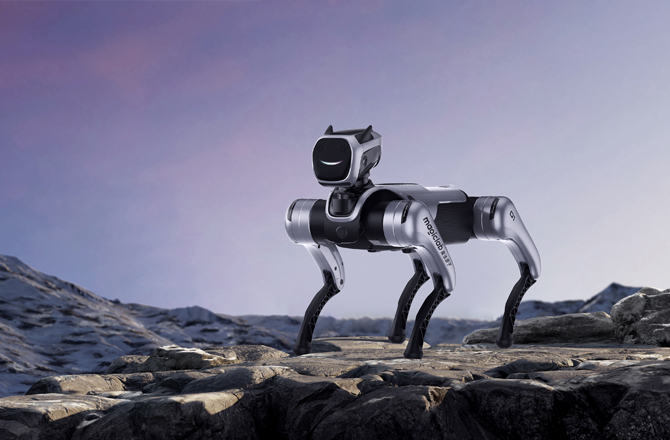
The robotic dog has no sensors at the rear and on the left and right sides; the operation directs the robotic dog towards the target direction, using the camera and radar in front of the dog to avoid obstacles ahead.
Restart the machine
The robot is not connected to the internet, so the voice package has not been synchronized to the robot. Connect the robot to the internet, then make the change again.
View the corresponding operation video on the official website of Magic Atom (https://www.magiclab.top/service)
Not connected to the network, the voice package has not been synchronized to the robot; the robot needs to connect to the external network before making modifications
It takes a short time for the voice package to synchronize to the robot. The voice announcement should work normally the second time the stunt action is performed.
View the corresponding operation video on the official website of Magic Atom (https://www.magiclab.top/service)
It takes a short time for the voice package to synchronize to the robot; when performing the stunt action for the second time, the voice broadcast will be normal
1. Remove any obstacles and make sure the protective film on the depth camera has been removed.
2. The current minimum safe clearance for guided tours is 1.5 m. The robot cannot pass through spaces narrower than 1.5 m.
1. WiFi Connection:
1. Ensure that the WIFI signal is good and the phone is connected properly. When Magicdog is turned on and you hear the voice prompt "Self-checking - Self-check completed", open the phone APP and connect to the device simultaneously. The first connection requires entering the WiFi password that the phone has already connected to;2. If the mobile phone fails to connect to the robotic dog successfully after more than 2 minutes, press the Bluetooth button on the back of the robotic dog once until you hear "Bluetooth is turned on, please connect to the network", then continue to attempt to connect (Tips: Press once only; long-pressing the Bluetooth button will restore the factory settings);
2. AP Connection:
First, turn on the robot dog. Then, find the Magicdog's Wi-Fi (with the robot dog's SN) in the phone's Wi-Fi signal sources. The password for this Wi-Fi is: dt123456. Open the APP and select "AP Direct Connection". At this time, simply enter the access password for the Magicdog's signal source.
3. Hotspot Connection:
Turn on the hotspot of Phone A, then Phone B can normally connect to the signal. After the robot dog is powered on, open the APP, and the connection method is the same as the steps in (1.).
1. Remove obstacles and ensure that the protective film of the depth camera has been peeled off
2. Currently, the safe passing distance during the guided tour is 1.5 meters, and spaces less than 1.5 meters cannot be passed through.



 English