

Please remove the battery on the same side facing the battery compartment for easy operation and observation of the battery status.
It is not recommended. Please ask the user to follow the normal and correct shutdown sequence to perform the "shutdown" step.
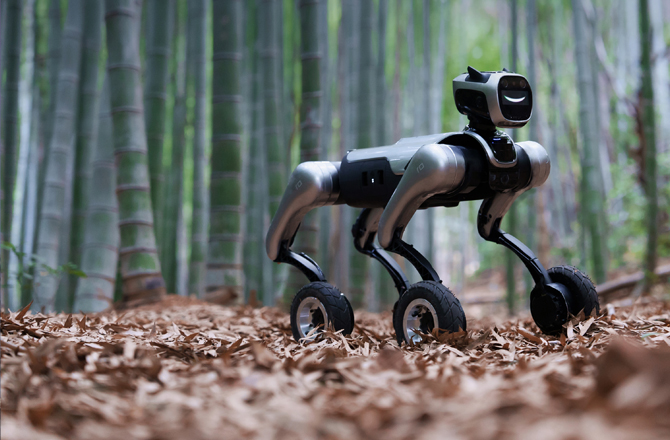
Currently, the wheel dog is not waterproof
1. Check if the battery level of the remote control is normal
2. When the robot is powered on, the joints of the whole body will be stiff due to power supply, and it is necessary to wait for the stiffness to end and become soft.
3. Return each joystick of the remote control to its initial position. After the robot's joints become soft, move the "G" joystick of the remote control to the middle or long-press the "Stand" button on the APP remote control, and the robot will slowly enter the standing state.
Please let MagicDog sit for a while, and then use it after the water mist has naturally dissipated.
After emergency stop, long press the power button to turn off the device.
Please contact after-sales service for usage guidance
The original calibration data was accidentally lost, or the zero position shifted due to accidental impact during operation or transportation; please contact the after-sales engineer for zero calibration
Please press the position on the MagicDog cover with a prompt sticker; pressing this position will allow it to open smoothly;
If you press other non-correct positions, you may need to try pressing a few more times.
1. Check if the battery level of the remote control is normal
2. Return each joystick of the remote control to its initial state ("G" at the far left): Move the "G" joystick of the remote control to the middle or long-press "Stand" on the APP remote control, and the robot will slowly enter the standing state
1. Please check if the port where the remote control receiver connects to the robotic dog is loose.
2. Check the open state of the remote control
3. Check whether the positions of each function corresponding to the buttons on the remote control are correct
4. If you still have questions, please contact after-sales support for guidance.
If it fails to enter the recover mode, long press "Stand" on the APP or move the "G" lever of the remote control to the middle
This is the design style of MagicDog. Under normal use conditions, the sensors of MagicDog will not be damaged. Please use it with confidence.
Original calibration data was accidentally lost, or the zero position shifted due to accidental impact during operation or transportation; please contact after-sales service for handling
1. Stop charging, move the robotic dog to a well-ventilated area and let it stand for 20 minutes until the temperature drops to room temperature;
2. Check the charger: Use the original charger, confirm that the output voltage/current of the charger matches the robot dog (e.g., 12V/2A, with the parameters marked on the charger), and if the charger is damaged, replace it with the original charger;
3. Check the battery status: Check the battery cycle count in the APP's "Battery Information". If it exceeds 500 cycles, it may be due to battery aging causing a decline in charging efficiency. Contact customer service to check the battery health and replace the battery if necessary;
4. Do not operate the robotic dog (e.g., move, turn) while charging, as it will increase the battery load and cause more heat generation.



 English