
Please contact our customer service immediately, provide relevant information such as photos of the damaged packaging, and we will handle it properly for you.
Check the accessory list. If it is confirmed that any accessories are missing, please take photos for record promptly and contact customer service. We will reissue them to you as soon as possible.
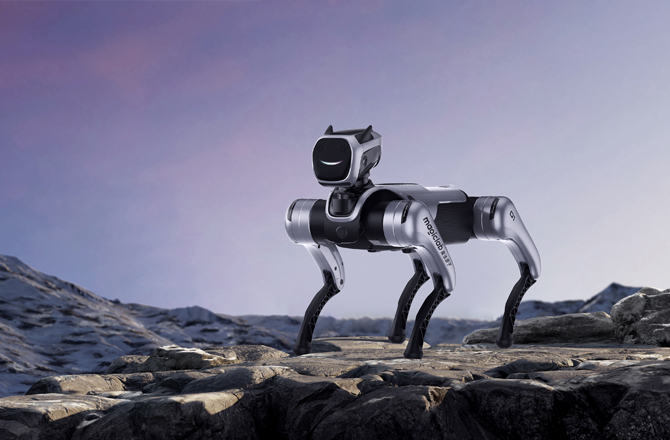
The robot dog weighs 22.5kg (including battery). When unpacking, it is recommended to have at least one additional person to assist in removing it from the box to avoid pinching fingers, accidental dropping due to loss of balance, and causing injury to personnel or damage to the robot dog.
At this time, do not operate the remote control to turn on the device. Please contact after-sales service immediately to identify the cause and resolve the issue promptly.
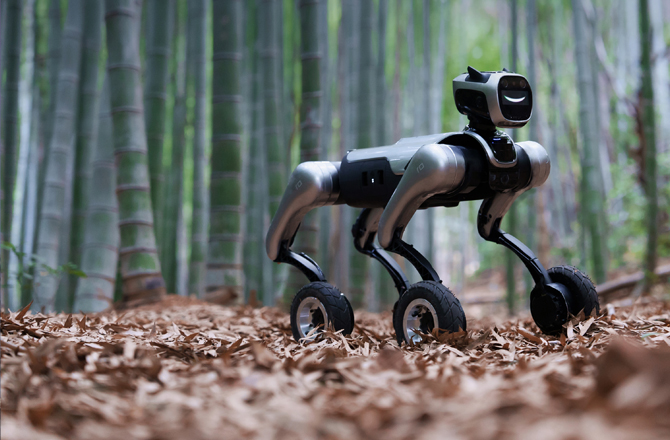
1. The wheels of the wheeled robotic dog need to reserve a certain amount of clearance to accommodate steering and shock absorption, which falls within the normal assembly tolerance range;
2. If shaking causes the wheel to tilt (not perpendicular to the ground), lag during rotation, or is accompanied by abnormal metallic friction noise, please immediately contact customer service, provide photos and videos of the wheel area, and we will arrange for technicians to conduct remote troubleshooting and, if necessary, reissue the wheel assembly.
Please wait a few seconds after hearing the machine dog complete its power-on self-test before turning on the remote control
1. Confirm the startup posture: Place the robotic dog on a level surface, ensuring that all four sets of wheels are in contact with the ground and the body is not tilted;
2. Troubleshoot battery level and connection: Check if the battery level is ≥20% (low battery will lock the drive function), reconnect the remote control or APP (re-pair after disconnection), and then try to control the robotic dog;
3. If there is still no response, contact after-sales service to check the motor wiring or drive module.
1. Confirm the environment: The machine dog should be used on a flat and open ground (without obstacles and sharp protrusions on the ground), and the battery level of the machine dog should be ≥30%;
2. Power on: Short press + long press the power button;
3. Turn on the remote control: Operate the robotic dog according to the remote control's instructions.
Precautions:
During the process of switching the operating mode, it is strictly prohibited to touch the robotic dog (to avoid being pinched by the mechanical structure). If the switch fails, the robotic dog needs to be restarted and the attempt repeated;
1. Switching Precautions: When switching, please confirm that the instructions currently being executed by the robotic dog have been completed.
2. The left joystick of the remote control controls "forward/backward/left/right", and the right joystick controls "turning left/right".
While controlling the robot dog to "lie down", use your hand to support the robot dog's head to assist it in slowly lying down. Pay attention to the surrounding environment when the robot dog lies down: it should be flat and have sufficient space for lying down.
1. Please check if the motor is overheating. If so, turn off the power and wait 30 minutes for the robotic dog to cool down before turning it on again for remote control;
2. If the motor temperature is normal, and the device can be powered on after multiple restarts but still fails to "stand up", please contact Magic Atom's after-sales service for remote technical support/ diagnosis.
1. Control the climbing speed: By adjusting the pushing force on the joystick, avoid high-speed slope climbing that may cause the center of gravity to shift backward.
2. If the slope exceeds 40°, it is prohibited to force the climb to prevent the robotic dog from tipping over or the wheels from being damaged.
Currently, this feature has not been made available to users and will be completed through OAT firmware upgrade in the future
Currently, the wheel dog is not waterproof
Please contact after-sales service for usage guidance



 English